
CLEVEREYE PEOPLE COUNTING
Store footfall
with a clear view of the data
Track entries and exits, examine hourly traffic and export your measurements. The new interface distinguishes available data from gaps and provisional values.
The new interface in use
The 15 October 2026 sample comes from a real staging installation. Overview → Analytics → Reports navigation and table/CSV consistency were checked in the deployed version.
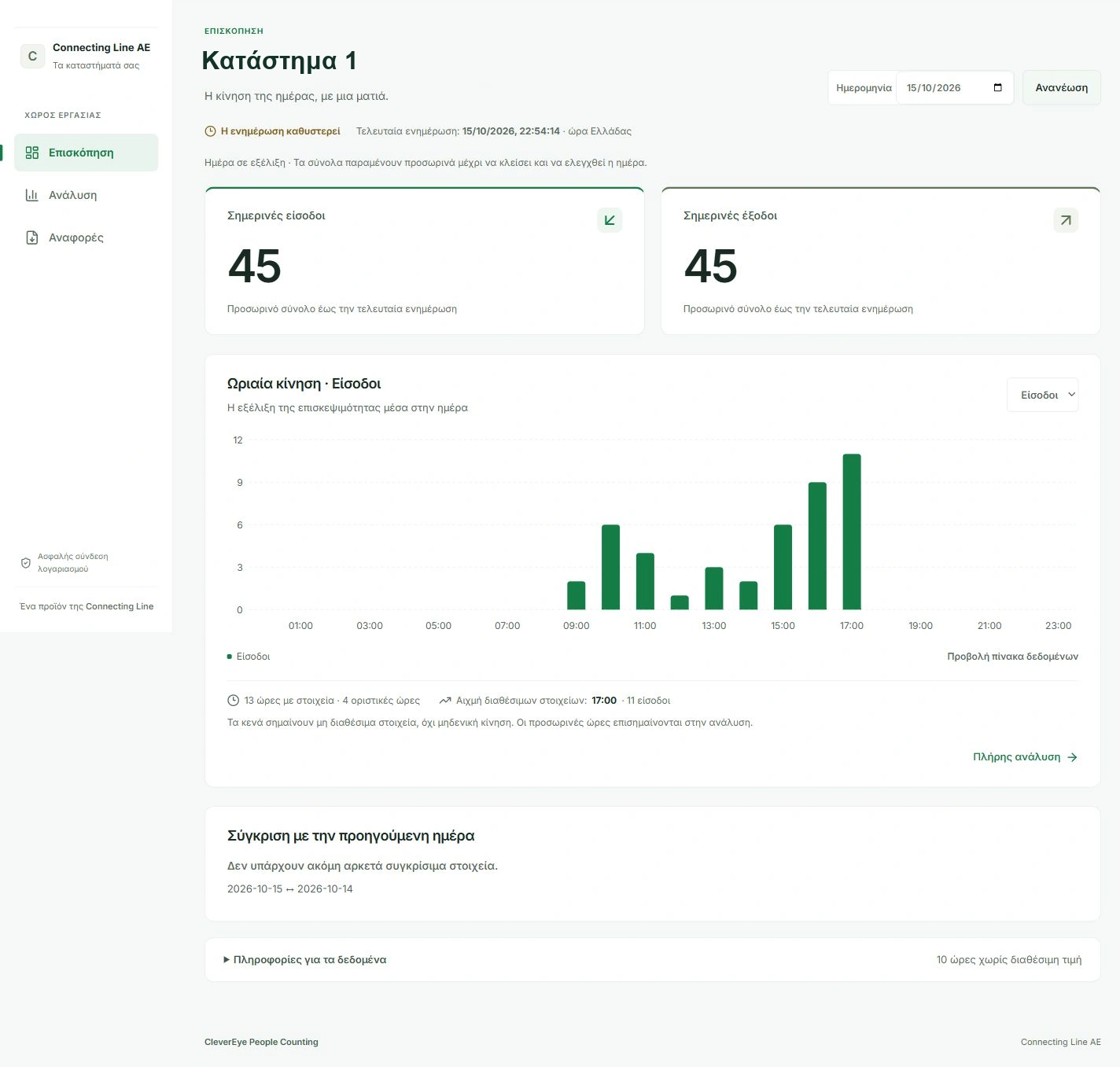
What is available and what needs validation
Checked in the deployed demo
Date and authorised-store selection, entry/exit switching, an hourly table and CSV export. Missing values and finalisation statuses are preserved in the export.
Still subject to validation in this sample
Daily totals are provisional. Only four hours are finalised. There is not yet enough comparable data for the preceding day. Physical counting accuracy requires a separate on-site check.
Additional scope, subject to agreement
Multi-store comparisons, sales correlation, conversion rates and Power BI integration are assessed for each project. They are not demonstrated by this sample or assumed to be enabled automatically.
Hourly analysis
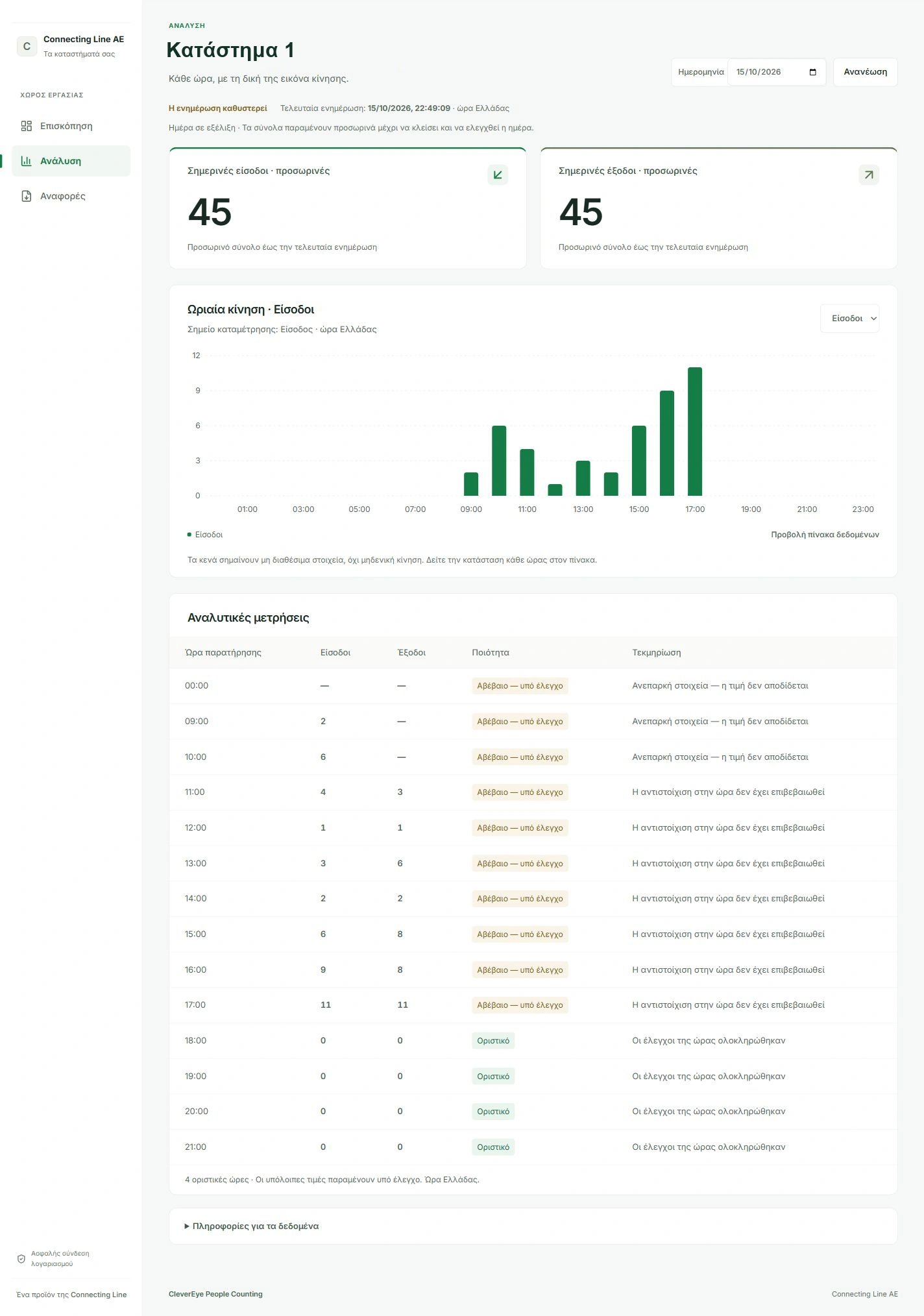
In the sample, 17:00 has 11 entries and 11 exits pending review. 18:00–21:00 have final zero values. The gap at 00:00 does not mean zero traffic.
Reports that preserve data quality
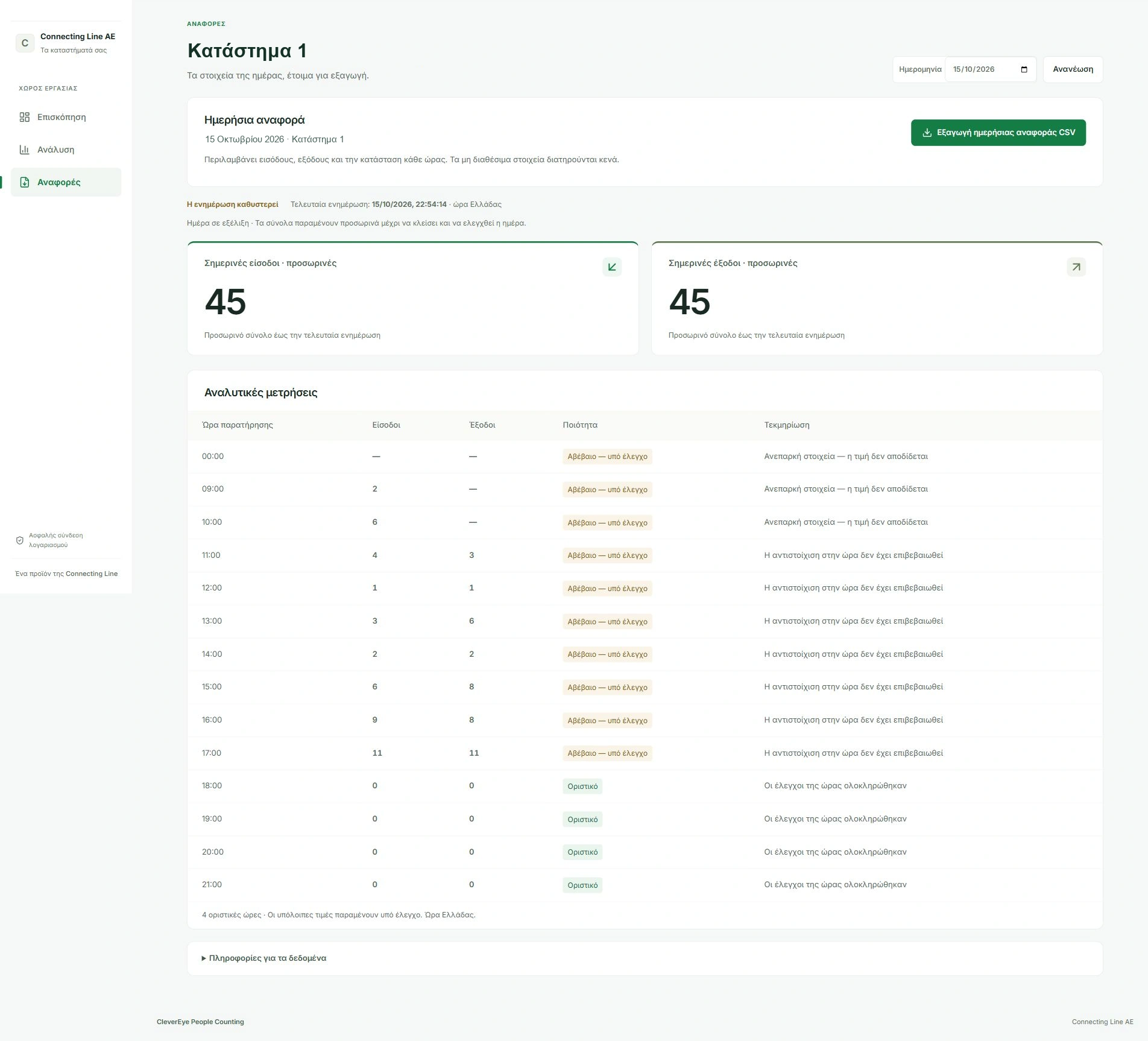
The tested export contained 24 hourly rows and kept unavailable values blank. Camera daily totals and the sum of available hours may differ when there are gaps; they are not silently combined.
At your own installation
During the demonstration we discuss equipment, entrances, access permissions and the data period you need. Configuration, training and support scope are agreed for your project.
Let’s look at what your business needs
We discuss your processes and plan the right scope for your business.